Ethereum ↔ Binance Smart Chain
Bridging HMT Tokens Between Ethereum and Binance Smart Chain#
At HUMAN, we facilitate secure, fast, and cost-efficient token transfers between Ethereum and Binance Smart Chain (BSC) using the Wormhole Portal. This enables users to interact seamlessly with both ecosystems.
What is the Wormhole Bridge?#
Wormhole is a cross-chain messaging and asset-bridging protocol that lets applications and users transfer tokens and data between different blockchains.
Steps to Bridge Tokens#
- Go to the official Wormhole Portal.
- Connect your wallet (e.g., MetaMask) to the Ethereum network.
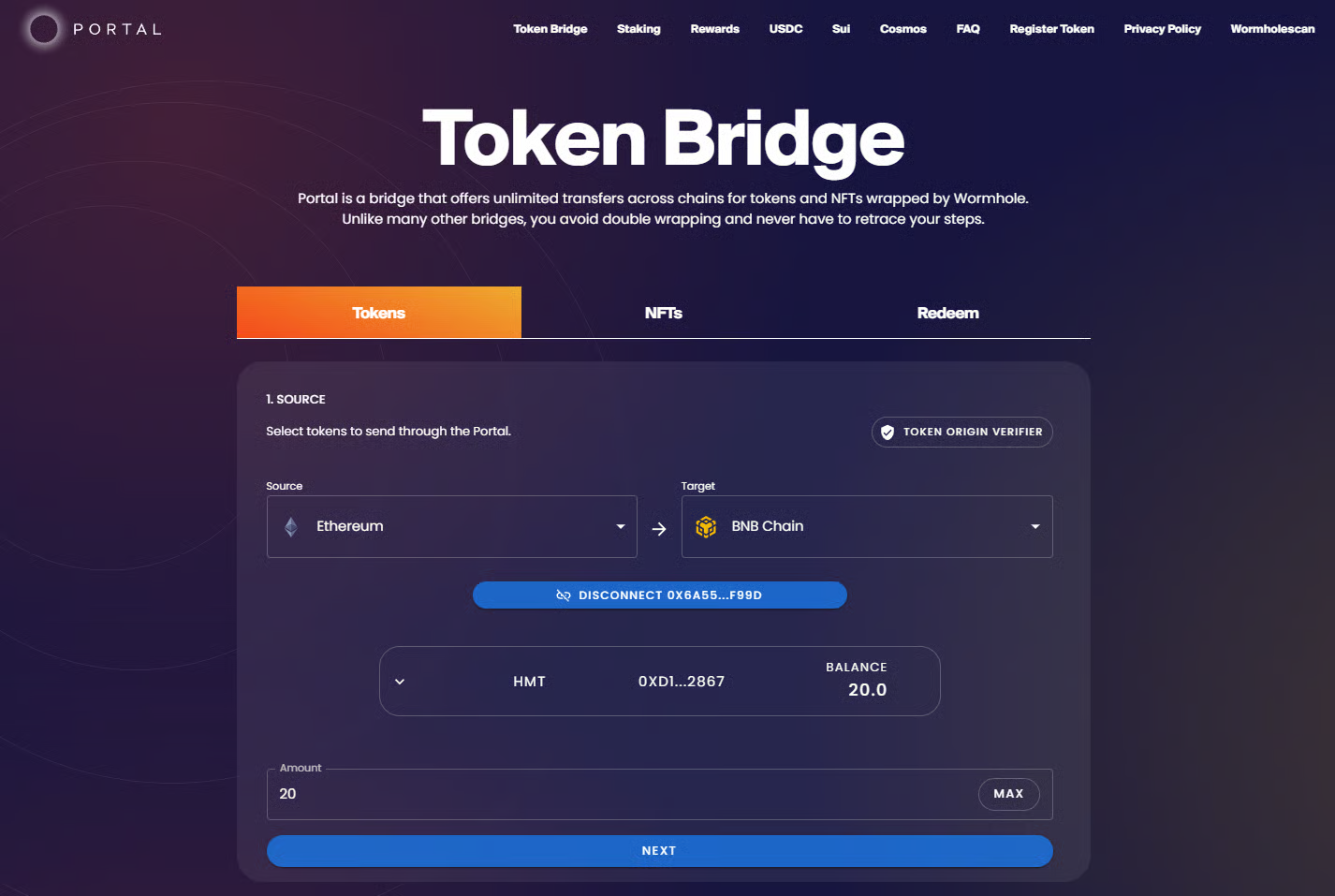
- Select Ethereum as the Source Network and Binance Smart Chain as the Target Network. To bridge in the other direction, just swap source and destination networks.
- Select HMT as the token you want to bridge. You can find token addresses here.
-
Populate the amount to bridge and click on NEXT.
-
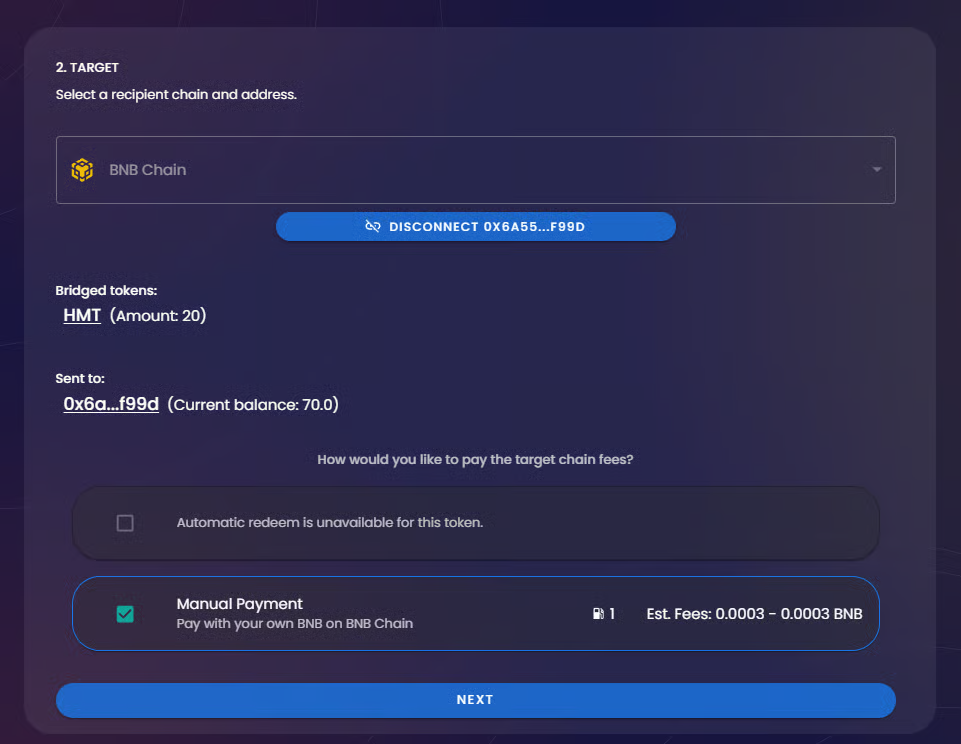
Click on NEXT again.
-
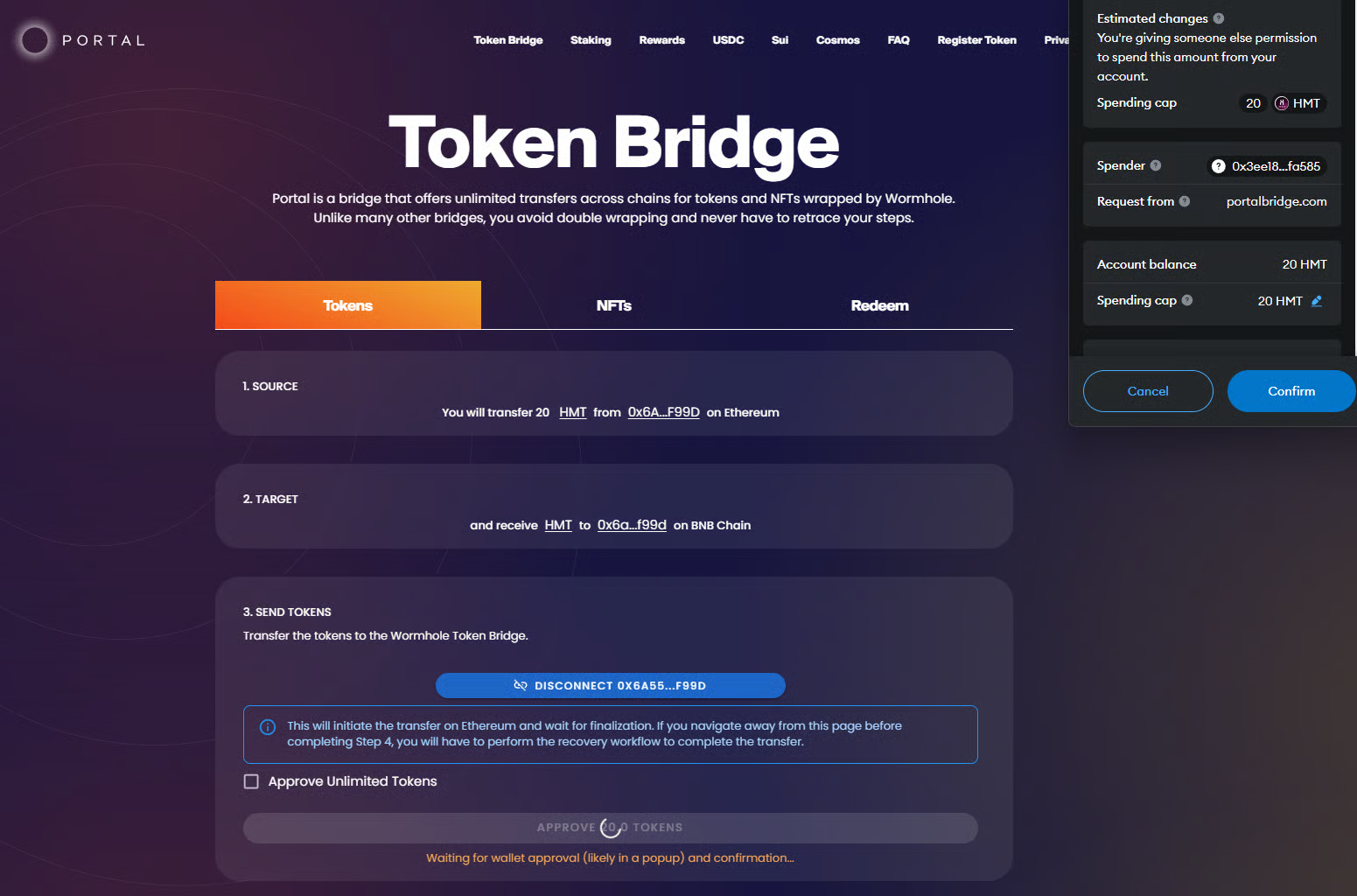
Click on APPROVE and confirm the transaction in your wallet to allow to the bridge spend your tokens during the bridging process.
-
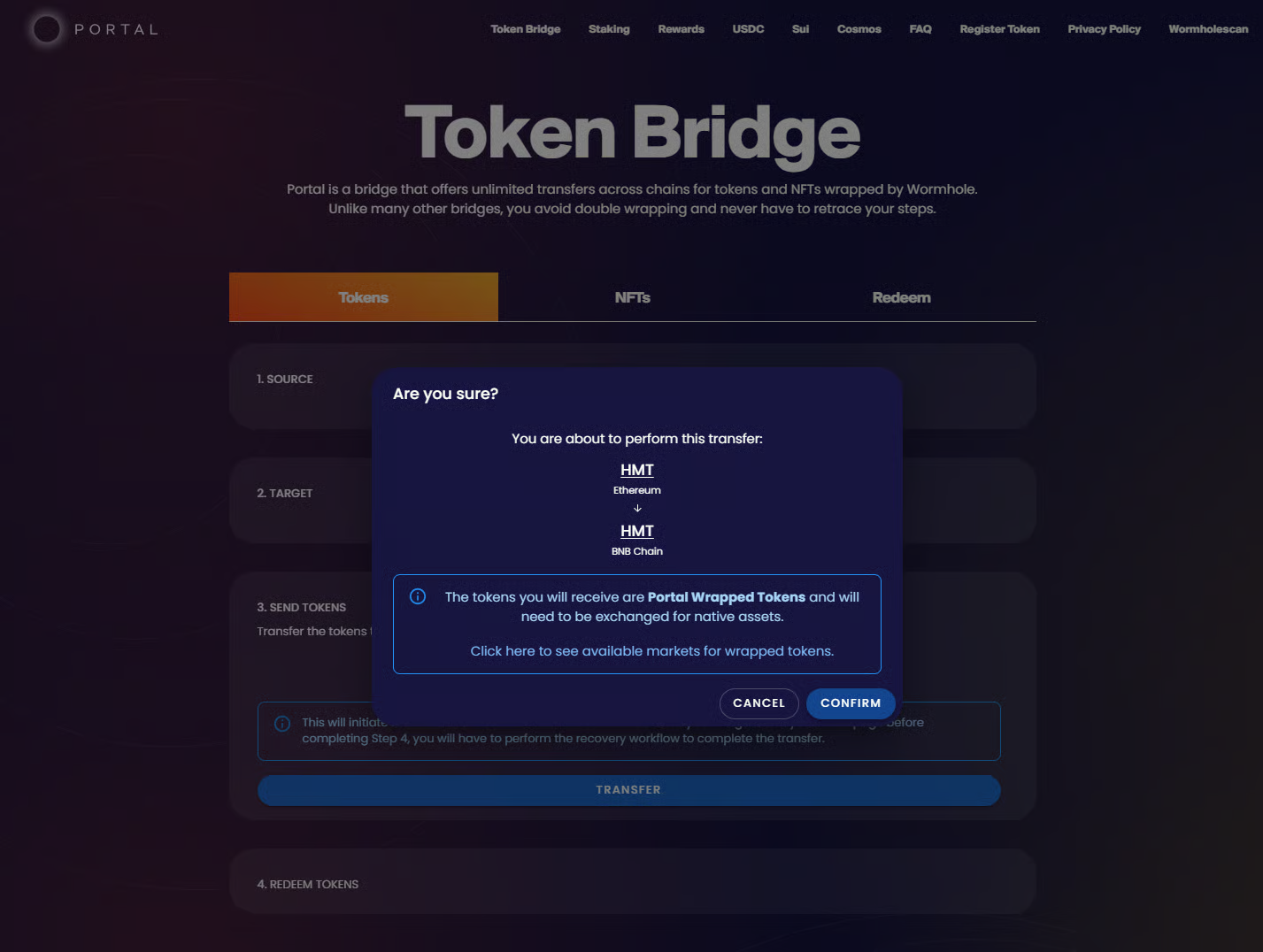
Click on TRANSFER and then CONFIRM to start the bridging process.
-
Confirm the transfer in your wallet.
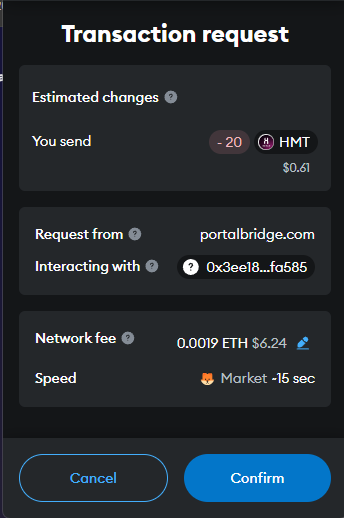
-
Once the bridge process is completed (might take up to 15 min), click on REDEEM to retrieve your tokens on BSC.
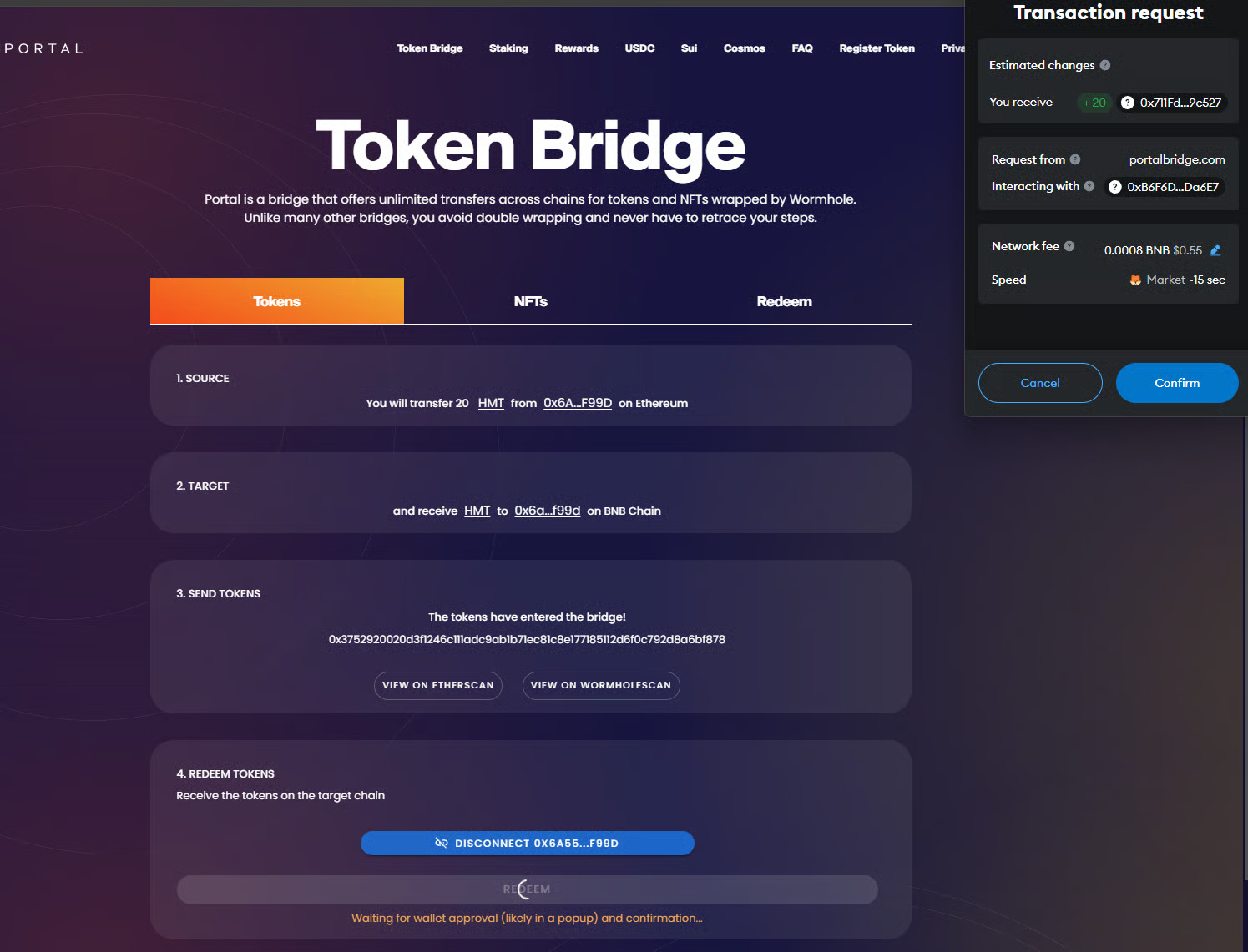
Important Considerations#
- Gas Fees: Bridging transactions require gas fees on both Ethereum and Binance Smart Chain, which may vary based on network congestion.
- Bridging Time: Withdrawals back to Ethereum are usually quick, but deposits to BSC may take longer (typically 15 minutes).
- Double-Check Addresses: Ensure the wallet addresses are correct to avoid loss of funds.